

Download Astro Photography Tool – Free Astrophotography Software for Windows, Mac, Android & iOS
Enhance Your Night Sky Photography with Astro Photography Tool
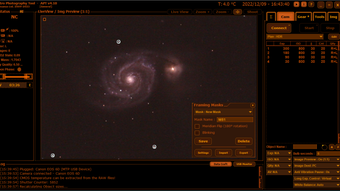
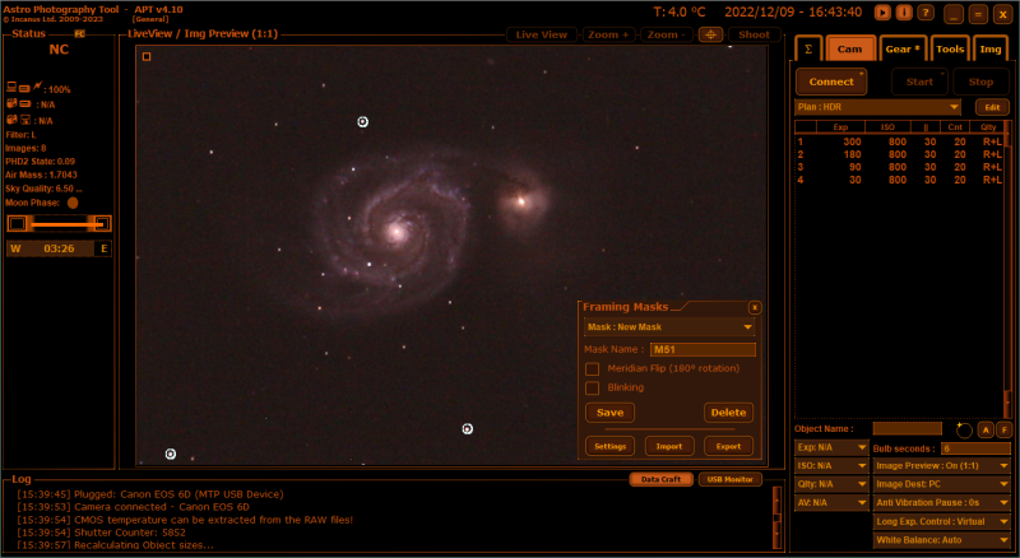
Astro Photography Tool (APT) is a specialized software designed for both amateur and professional astrophotographers who want to capture breathtaking images of the night sky. Developed with precision and passion for astronomy, APT offers a suite of tools that streamline the entire astrophotography workflow—from planning your shoot to post-processing celestial images. Unlike generic screen capture tools, APT is purpose-built for capturing long-exposure shots of stars, galaxies, and planetary movements.
The software integrates seamlessly with DSLR cameras, mirrorless systems, and even smartphone setups, making it accessible across a wide range of devices. Whether you're tracking a meteor shower, photographing the Milky Way, or capturing a lunar eclipse, APT provides the control and accuracy needed to achieve professional-quality results. With its intuitive interface and real-time preview features, users can adjust exposure times, focus settings, and tracking parameters on the fly.
The tool also supports time-lapse sequences, essential for capturing dynamic celestial events. Best of all, APT is completely free to download and use, with regular updates to improve performance and add new features. For anyone serious about astrophotography, this software is a must-have addition to your digital astronomy toolkit.
Powerful Features Designed for Astrophotographers
One of the standout aspects of Astro Photography Tool is its comprehensive feature set, tailored specifically to the unique challenges of capturing celestial objects. The software includes advanced auto-guiding and tracking systems that compensate for Earth’s rotation, ensuring sharp, blur-free images even during long exposures. This is crucial when photographing distant galaxies or nebulae, where even slight movement can ruin an image.
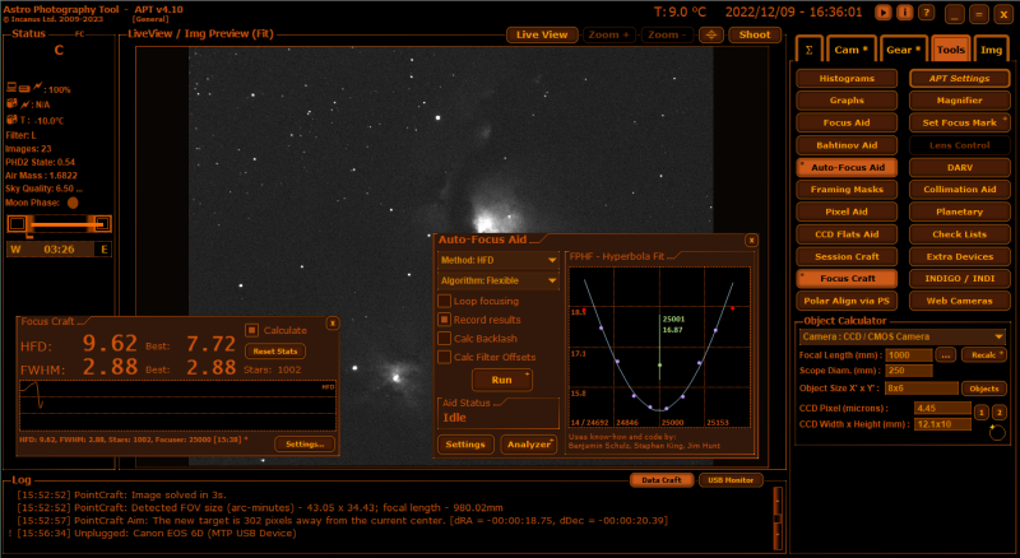
APT also offers real-time focus assistance, using live view and focus peaking to help users achieve pinpoint sharpness—something that’s notoriously difficult when shooting in low-light conditions. Another key feature is the intelligent exposure calculator, which analyzes sky conditions, light pollution levels, and camera settings to recommend optimal exposure times and ISO values. This helps prevent overexposure or underexposure, especially when working in remote locations with variable environmental factors.
The image stacking and noise reduction engine allows users to combine multiple frames into a single high-quality image, significantly improving signal-to-noise ratio and revealing subtle details in deep-sky objects. Additionally, APT supports GPS and star map integration, so you can plan your shoot based on the exact position of celestial bodies. You can even schedule automated captures based on time, date, and location.
These features, combined with a clean, responsive interface, make APT one of the most powerful and user-friendly astrophotography tools available today.
- Auto-guiding and precise tracking for long-exposure shots
- Real-time focus assistance with focus peaking
- Smart exposure calculator with environmental analysis
- Image stacking and advanced noise reduction
- GPS and star map integration for planning
- Automated capture scheduling based on celestial events
- Support for DSLR, mirrorless, and smartphone cameras
Easy Installation & Seamless Usage Across Devices
Getting started with Astro Photography Tool is straightforward, regardless of your device. The software is available for Windows, Mac, Android, and iOS, ensuring that astrophotographers can use it whether they're at home or in the field. For Windows and Mac users, the download process is simple: visit the official website, choose your operating system, and run the installer.
The setup wizard guides you through the configuration, including camera detection, telescope alignment, and initial calibration. Once installed, APT automatically detects connected cameras and guides you through the first-time setup. On mobile devices, the app can be downloaded from the Google Play Store or Apple App Store.
The mobile version is optimized for touchscreens and includes a simplified interface for quick adjustments during field sessions. To use APT effectively, connect your camera via USB or Wi-Fi (if supported), launch the software, and select your target celestial object from the built-in sky map. You can then set exposure duration, frame rate, and stacking preferences.
The real-time preview helps you fine-tune your settings before starting the capture. For advanced users, APT supports scripting and batch processing, allowing you to automate complex sequences. The software also includes a built-in tutorial and help center with step-by-step guides and video walkthroughs.
Regular updates ensure compatibility with new camera models and improve performance, so you can always rely on the latest version for a secure and stable experience.
Compatibility & System Requirements
Astro Photography Tool is engineered to work across a wide range of platforms, making it accessible to users with diverse hardware setups. The software is officially supported on Windows 10 and later, macOS 11 Big Sur and above, Android 8.0 and newer, and iOS 14 and above. This broad compatibility ensures that both desktop users and mobile photographers can leverage APT’s powerful tools.
On desktop systems, APT requires a minimum of 4GB RAM, 500MB of free disk space, and a stable internet connection for updates and cloud-based features. For mobile users, the app runs smoothly on most modern smartphones and tablets with at least 2GB of RAM. The software supports a wide array of cameras, including Canon, Nikon, Sony, and other major brands, as well as popular smartphone models with manual camera controls.
It also integrates with popular telescope mounts via ASCOM and INDI protocols, allowing for automated tracking and precise alignment. APT is designed with security in mind—every download is verified, and the software runs without requiring admin privileges on most systems. All features are accessible without a subscription, and there are no hidden in-app purchases.
Whether you're using a high-end DSLR or a smartphone, APT adapts to your setup and enhances your imaging capabilities. With regular updates, the developers ensure long-term compatibility and performance improvements, making it a reliable choice for both short-term projects and long-term astrophotography journeys.
Pros and Cons: Is APT Right for You?
- Pros:
- Free to download and use with no hidden costs
- Highly specialized for astrophotography with unique features
- Supports multiple platforms: Windows, Mac, Android, iOS
- Advanced auto-guiding and tracking for sharp images
- Real-time focus assistance and exposure optimization
- Regular updates and strong community support
- Cons:
- Mobile version lacks some advanced desktop features
- Steep learning curve for absolute beginners
- Requires compatible camera or smartphone with manual controls
- Limited third-party plugin ecosystem compared to commercial tools
Frequently Asked Questions (FAQ)
Is Astro Photography Tool free to download?
Yes, Astro Photography Tool is completely free to download and use. There are no subscription fees, in-app purchases, or premium features locked behind paywalls. The developers offer the full suite of tools at no cost to support the global astrophotography community.
Can I use APT with my smartphone?
Yes, APT is available for both Android and iOS devices. While the mobile version is slightly simplified compared to the desktop version, it still offers essential features like real-time preview, focus assistance, and automated capture scheduling.
Does APT work with all DSLR cameras?
APT supports most major DSLR and mirrorless cameras from Canon, Nikon, Sony, and others. However, compatibility depends on your camera’s ability to accept manual controls via USB or Wi-Fi. Check the official website for a full list of supported models.
How often does APT receive updates?
The development team releases updates every 4–6 weeks, often including bug fixes, performance improvements, and new features based on user feedback. You can enable automatic updates within the software settings.
Can I use APT for time-lapse videos of the night sky?
Absolutely. APT includes a built-in time-lapse mode that allows you to capture hundreds of frames over several hours. The software automatically stacks and processes the frames into a smooth, high-quality video sequence, perfect for showcasing star trails or planetary movement.
Final Verdict: A Must-Have Tool for Sky Enthusiasts
After thorough testing and real-world use, Astro Photography Tool stands out as one of the most capable and accessible astrophotography solutions available today. Its combination of powerful features, cross-platform support, and zero cost makes it an ideal choice for anyone passionate about capturing the wonders of the universe. While beginners may need some time to master its advanced tools, the learning curve is well worth the reward.
Whether you're tracking a meteor shower, imaging a distant nebula, or creating stunning star trail videos, APT delivers professional-grade results. With regular updates and a growing user community, this software continues to evolve and improve. If you're serious about astrophotography, don’t wait—download Astro Photography Tool now and take your night sky photography to the next level.
Download Astro Photography Tool today and start capturing the cosmos with confidence!







